
Strava is a social network that happens to record your runs. Getting kudos from friends feels nice. It will not help you break 4:00 in the marathon.
For that, you need your data in a place where you can actually work with it. A Google Sheet or Excel file lets you build dashboards, spot patterns across a 16-week training block, and run analysis that no phone app will ever surface on a 5-inch screen.
Why Your Running Data Belongs in a Spreadsheet
Running apps collect plenty of metrics. The problem is what happens to them after that. Features move behind paywalls. Algorithms update and your historical comparisons break. You cannot merge data from Garmin, Strava, and Apple Watch into one view. And trying to analyze a full training cycle on a mobile screen is like reading a novel through a keyhole.
A spreadsheet solves all of this. The data is yours. No subscription required, no algorithm changes, no platform risk. You control the structure, the formulas, and the analysis. Forever.
Building Your Running Dashboard
Start with these columns:
- Date
- Distance (miles or km)
- Time (run duration)
- Average heart rate
- Shoes worn
- Feel (1 to 10, subjective effort and mood)
Then add calculated metrics:
- Pace (min/mile): duration divided by distance
- Efficiency factor: pace divided by average heart rate
- Shoe mileage: running total of miles on each pair
This is where it gets interesting. With a few weeks of data, the spreadsheet starts telling you things the app never will:
- Your easy pace dropped 15 seconds per mile at the same heart rate. You are fitter than you were six weeks ago.
- You have hit your weekly mileage target 11 of the last 12 weeks. The consistency is there.
- Your Pegasus 40s have 480 miles on them. Retire them before your knees make the decision for you.
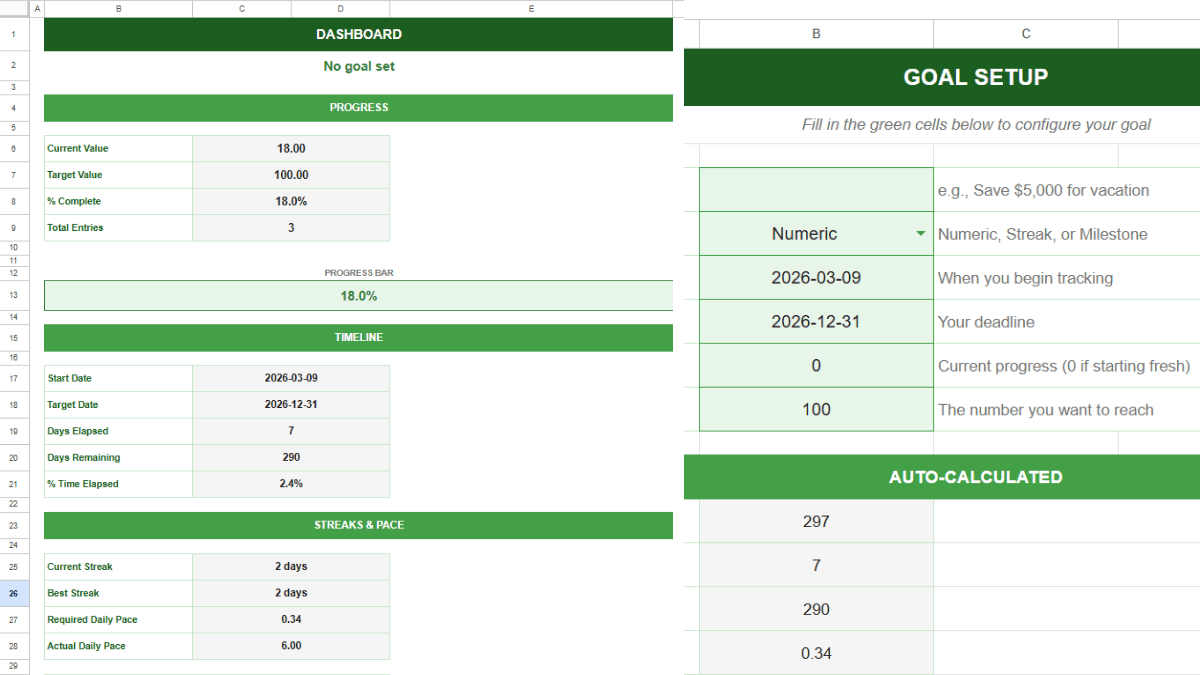
Use TREND or a simple moving average formula to chart pace and efficiency over time. Watching the line bend in the right direction is one of the best motivators in training. If you want a framework for setting and tracking specific performance targets, a goal tracker spreadsheet works well alongside your running log.
Setting Smarter Training Goals
Most runners pick a goal time and hope the training gets them there. A better approach is to set measurable weekly targets and track progress against them. Weekly mileage. Long run distance. Average easy pace. Threshold workout splits.
A SMART goals template can help you structure this. Define the specific metric, attach a number to it, set a deadline, and check it every Sunday. The spreadsheet does not care about your excuses. It just shows you the data.
Serious runners know that training volume is only part of the picture. Sleep, nutrition, and bodyweight all affect performance. Logging calories and macros in a calorie tracker spreadsheet alongside your running data lets you see connections that are invisible otherwise. Maybe your worst runs correlate with days you underfueled. Maybe your best long runs happen after high-carb days. The spreadsheet will show you.
Take Your Data Back
It does not matter if you are training for a 5K or a 50-miler. The runners who improve fastest are the ones who know their numbers and act on them. Strava will give you a social feed. A spreadsheet will give you a training plan you can actually measure.
Export your data, build the dashboard, and start logging. The first step to a PR is knowing exactly where you stand.