
Google Sheets Tips
How to Get the Word Count in Google Sheets (Easy Formula)
To get the word count in Google Sheets, use a formula. Although using a formula to get the word count is not as convenient as the in-built feature in Google Docs,


To get the word count in Google Sheets, use a formula. Although using a formula to get the word count is not as convenient as the in-built feature in Google Docs,

Change your Google Sheets row height with these four simple methods. Includes detailed walkthroughs on resizing and setting to exact pixels.

Did you know Google Sheets finally added a button to change text case? No formulas needed! Here is where to find it.

To add a checkbox in Google Sheets, use the “insert” menu and choose the “checkbox” option. I’ll discuss more ways to use the check box (also called a tick box)

When you have a long sentence or long strings in a cell in the Google Sheets app, you will find that it overflows to the adjacent cells on the right

Below, I’ll show you two ways to quickly transpose data in Google Sheets. What does that mean? Transposing the data means that you change the orientation where the rows become
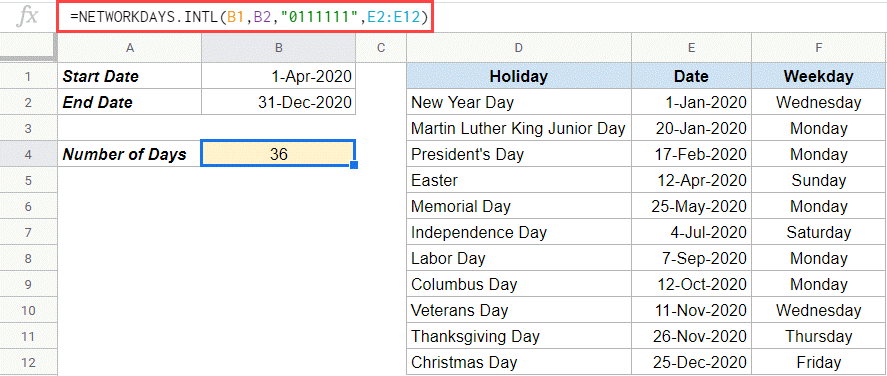
Thanks to some formulas, calculating Google Sheets days between dates has become a breeze. Using a few simple methods, you can easily calculate the number of days between two dates

While Google Sheets has many amazing features, it does lack some of the basic ones. One such feature is the ability to indent cell content in Google Sheets. It’s such a

While formulas are awesome, there might be some cases when you want to convert formula to values in Google Sheets. Here are some likely scenarios when this might be needed: