Google Docs
How to Make an Em Dash in Google Docs [Step-by-Step Guide]
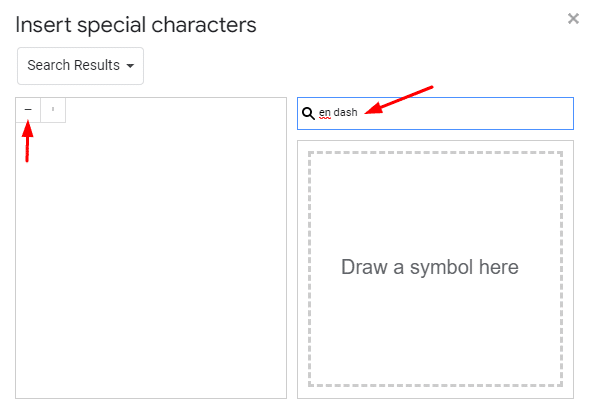
The em dash (“—”) is a punctuation that separates related — but not so necessary — ideas from the main sentence, as shown here. As useful as it is, there’s


The em dash (“—”) is a punctuation that separates related — but not so necessary — ideas from the main sentence, as shown here. As useful as it is, there’s

Can you make a Venn diagram in Google Docs? You absolutely can! To get started, open a Google document and select “Insert” > “Drawing” > “New.” Add two circles using the

Let’s talk about typewriter fonts. In Google Docs, you can choose from a bunch of styles. So what’s the best typewriter font? I’ve listed my favorite 16 styles below. To

Before distributing pay stubs to your employees, you want to ensure that all essential details are included, from total earnings to deductions and taxes. With our handpicked selection of the

Creating an eye-catching document in Google Docs can be a daunting task. With so many font styles to choose from, it’s head-cracking to decide which can make your document extra

Looking for a free cleaning schedule template you can use right now? Below are six customizable templates — covering everything from daily routines to professional checklists — that you can

If you want to add a touch of sophistication and elegance to your Google documents, cursive fonts are a great option. With over 200 cursive fonts on Google Docs, you

While not legally required for purchases under $20, customers can still request receipts to record their expenses and financial transactions. They can also be used for legal purposes when they contain substantial

Have some exciting business news to announce? Looking to advertise an upcoming product launch or event? Our pre-designed press release templates in Google Docs can easily be customized to fit