
Most couples don’t realize how many song decisions go into a wedding until they’re two weeks out and someone’s mom is texting a list of requests and the DJ is asking for the final setlist and nobody has written anything down.
I built a free Google Sheets wedding music planner to handle all of it in one place. It covers every musical moment from the prelude to the last dance, it’s built for collaboration, and it keeps the whole thing from turning into a group chat disaster.

Get your free copy here (sign in to Google and it copies straight to your Drive)
What’s inside the wedding music planner
The planner has seven tabs. Each one handles a distinct part of the planning process. Here’s what each does.
Start Here
The overview tab. It explains every other tab, includes collaboration tips, and has a block for your wedding details: couple names, date, venue, and DJ or band contact. Fill this in first before you share the file with anyone.
Song Requests
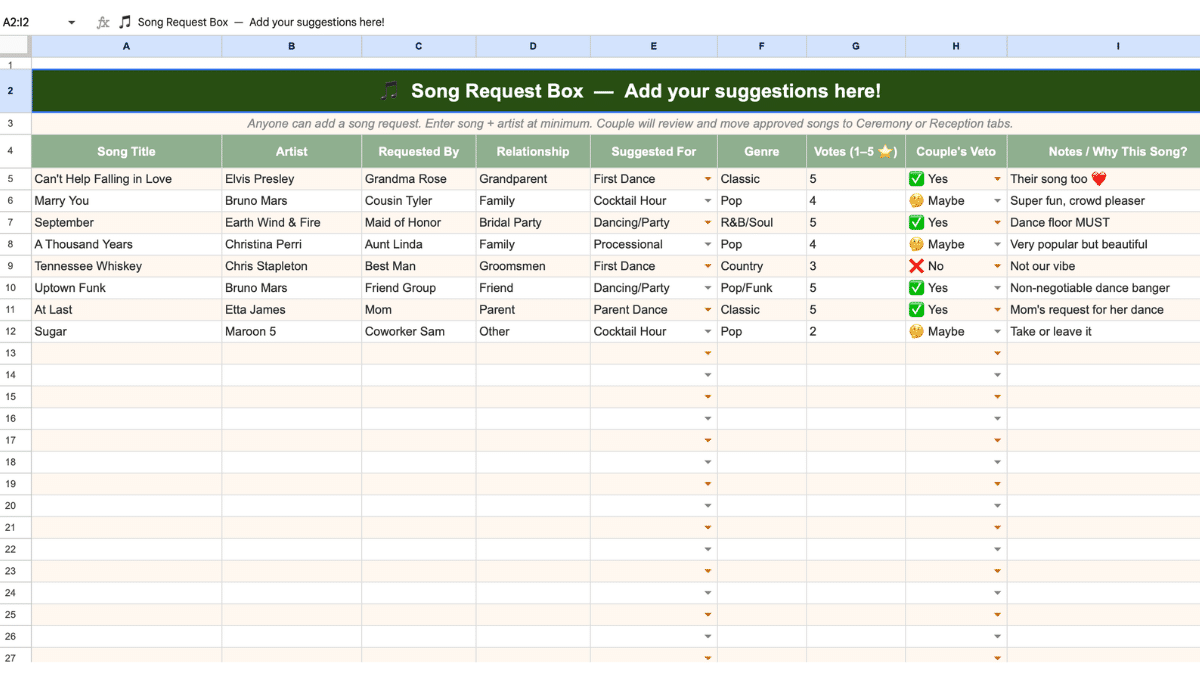
This is the shared suggestion box. You send the link to your bridesmaids, your groomsman, your grandparents, aunts, uncles, cousins, whoever has opinions about what plays on the dance floor. They drop ideas here. There are columns for the requester’s name, their relationship to you, which segment they’d suggest the song for, and a 1 to 5 vote score.
There’s also a Couple’s Veto column. Yes, No, or Maybe. You can work through every suggestion without a conversation about every single one. Your aunt might lobby hard for Nat King Cole. Your cousin might push for Luke Combs or Rascal Flatts. Your college roommate might submit something from Bleachers or Elle King. They all go in the same tab, and you decide.
Ceremony and Reception
This is where you build the actual run of show.
The Ceremony tab covers everything from the Prelude through the Receiving Line. That includes the processional walk down the aisle, which tends to get more debate than people expect. Some couples want Ed Sheeran. Some want Stevie Wonder. Some want something instrumental that nobody will fight about.
The Reception tab covers Cocktail Hour, Grand Entrance, First Dances, Dinner background, Toasts, Cake Cutting, Open Dancing, and the Last Dance. Every section has room for a couple of extra blank rows in case your DJ or band needs options. Think about the arc of the night. Love songs and slow dance sets early, then the energy picks up. By the time Bruno Mars or Phil Collins or Whitney Houston comes on, the dance floor should already be moving.
The wedding reception is where the right music does its real work. A grand entrance that lands, a first dance that’s actually theirs, a last dance that sends people home with something. It doesn’t happen without a plan.
Final Setlist
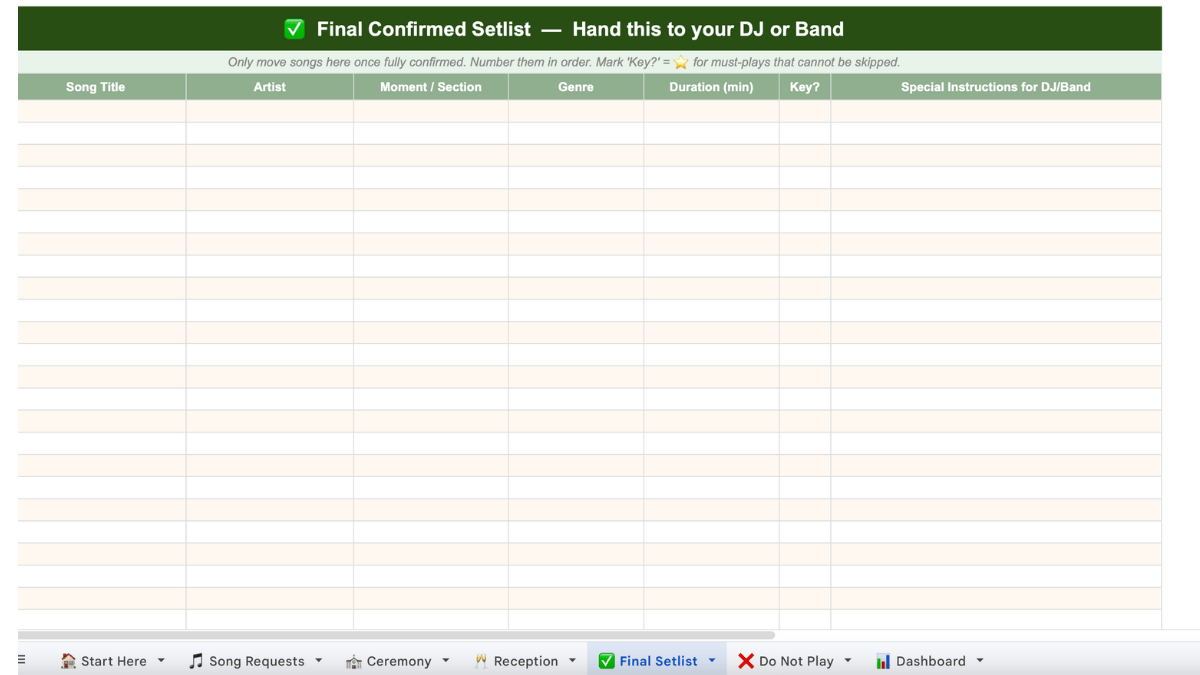
Your handoff document. Once songs are confirmed, they go here in numbered order. There’s a Key Song flag column for must-plays, a Special Instructions column for DJ-specific notes, and a duration formula at the bottom that totals your estimated runtime. This is what you print and hand to your performer at least two weeks before the wedding day.
Do Not Play
There’s a reason field and a notes column. The example rows are there to jog your memory. You’d be surprised how many couples forget this tab until someone plays the wrong song at cocktail hour and a face across the room goes flat. If Tim McGraw or David Bowie or Elton John or any other artist carries a story you’d rather not surface on your big day, put it here.
Dashboard
Live counts for each section and a pre-DJ-meeting checklist: first dance confirmed, Do Not Play list reviewed, Final Setlist handed over at least two weeks out. When the checklist is done and the counts look right, you’re ready.
How many songs do you need for a wedding?
More than most couples expect. A rough breakdown:
- Ceremony: 4 to 6 songs (prelude, processional, any readings or unity moments, recessional)
- Cocktail hour: 15 to 20 songs, roughly 60 to 90 minutes of background music
- Dinner: 10 to 15 songs
- Dancing: 20 to 30 songs depending on how long the reception runs
That’s 50 to 70 songs for a typical reception. Building a wedding playlist that holds together across all of those moments takes real work. The classics earn their place across generations: a Nat King Cole love story feel for the older wedding guests, something from Ed Sheeran or Bruno Mars for the younger crowd, and a handful of surprises that make the night feel specific to the couple. “Let’s Get Married” hits differently when it’s actually your wedding day.
The planner keeps that all organized so the perfect playlist doesn’t exist only in someone’s head.
How to use it collaboratively
Share the file via Google Sheets with edit access. Send the link to anyone who might have opinions: parents, the maid of honor, close friends. Tell them the Song Requests tab is the suggestion box and they don’t need to touch anything else.
Work through the Requests tab together as a couple. Use the Veto column to mark your decisions. Move approved songs into the Ceremony or Reception tabs, and eventually into the Final Setlist once they’re locked.
The Dashboard updates automatically as you fill things in. When the checklist items are done, export or print the Final Setlist tab and hand it to your performer.
The wedding ceremony and reception are full of beautiful moments that happen whether you’re prepared or not. The music is one of the few parts you can actually control in advance. This template is how you do that without losing your mind.
Make your free copy of the spreadsheet template.
Frequently Asked Questions
How many songs do I need for a wedding?
Plan for 50 to 70 songs across the full wedding day. The ceremony typically needs 4 to 6, cocktail hour runs 15 to 20, dinner takes 10 to 15, and dancing fills out the rest. The planner’s Ceremony and Reception tabs have sections for every moment so nothing gets missed.
How far in advance should I give my DJ the final setlist?
At least two weeks before the wedding. The Dashboard tab includes this as a checklist item. Some DJs ask for it earlier, especially if they need to source specific tracks or learn timing cues for the grand entrance or first dance.
Can I use this template for a live band instead of a DJ?
Yes. The Special Instructions column in the Final Setlist tab works for both. Bands often need to know key, tempo, and whether a song needs to be learned in advance. Use that column for those notes.
How do I share this with family members without letting them edit the whole spreadsheet?
Share the file with edit access but tell everyone to only use the Song Requests tab. If you want tighter control, you can share with comment-only access and manually add their suggestions yourself. Most families are fine with a clear instruction at the top of the tab.
What should go on the Do Not Play list?
Songs tied to exes, songs with lyrics that don’t fit the room, anything an artist has done that someone in the family has strong feelings about. Also: songs from the wedding soundtrack of a previous marriage if relevant, or anything that came up in the “please not this” conversations with your partner. The reason field is there so you remember why something’s on the list when you’re reviewing it six months later.
Does this work in Excel?
The template is built for Google Sheets, but you can download it as an .xlsx file and open it in Excel. The formulas used are standard and should carry over without issues.