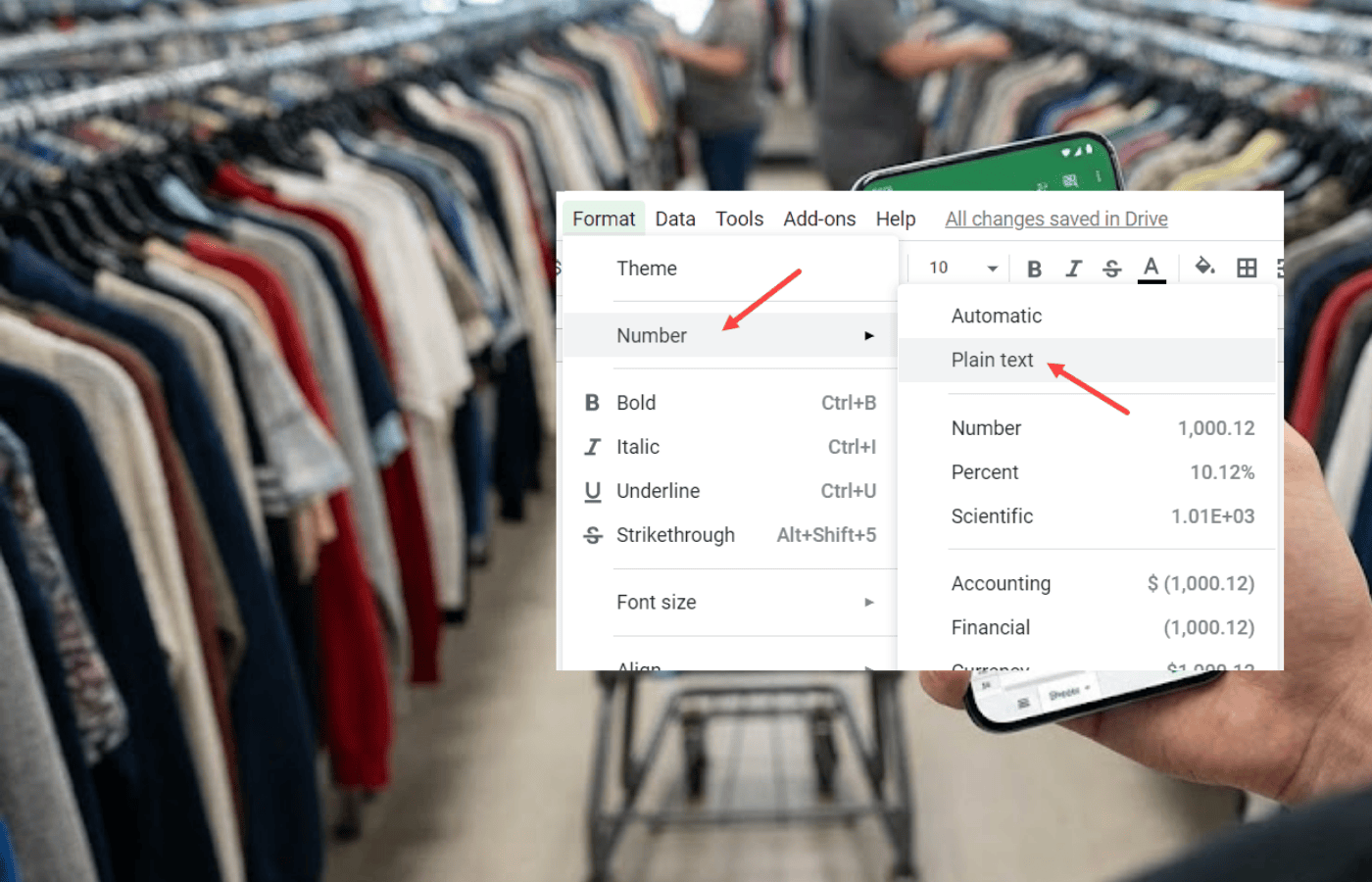
Google Sheets Tips
How to Keep Leading Zeros in Google Sheets
Sometimes, Google Sheets removes leading zeros in zip codes, employee ID numbers, or SKUs. Here’s how to fix that and keep leading zeros in a spreadsheet instead.


Sometimes, Google Sheets removes leading zeros in zip codes, employee ID numbers, or SKUs. Here’s how to fix that and keep leading zeros in a spreadsheet instead.
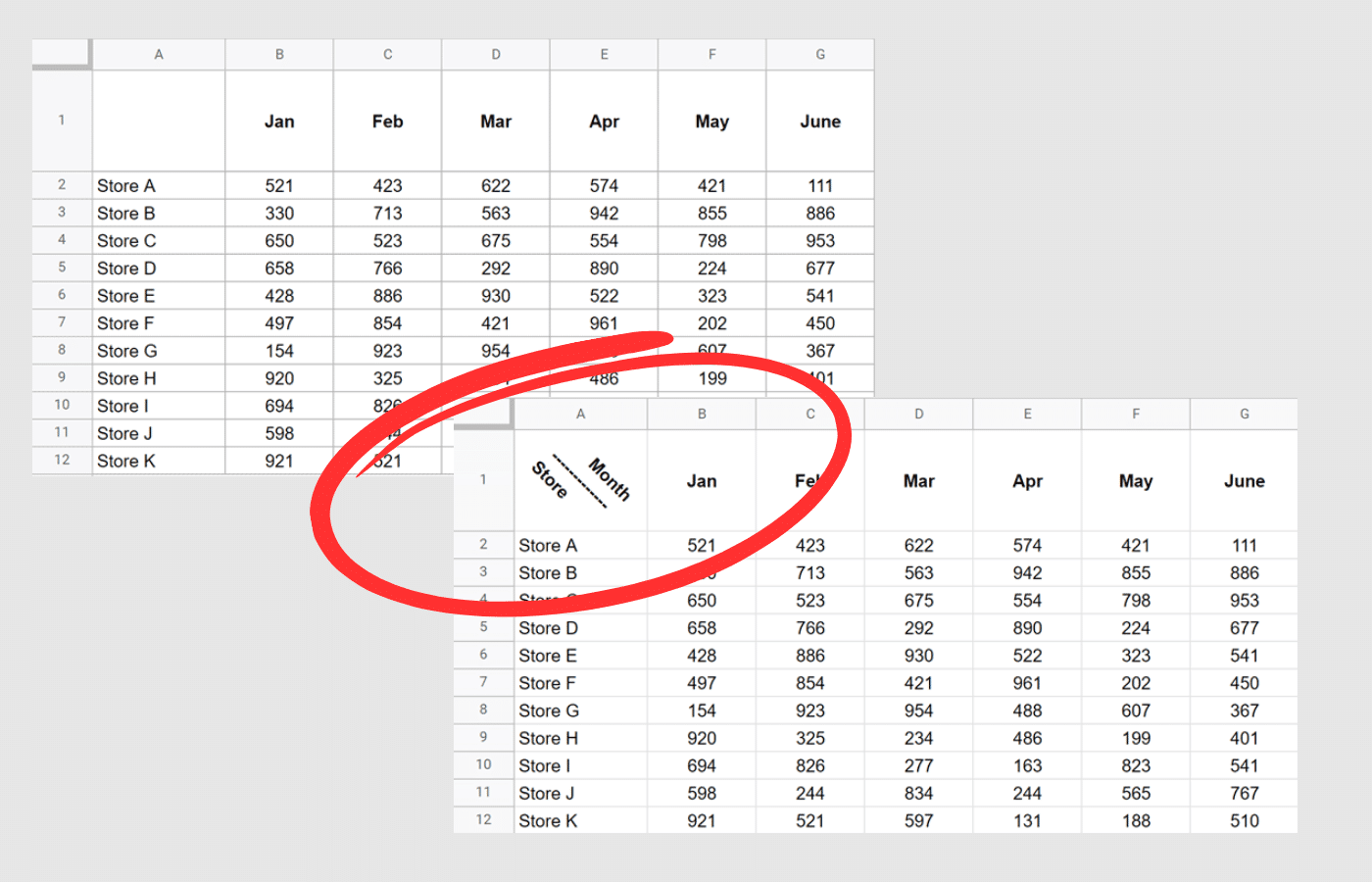
Here’s how to split cells and add a diagonal line in Google Sheets. Guide includes tilt text, sparkline, and other quick tips.

While Google Sheets lacks a native “Insert List” button, creating bullet points is easy if you know the right tricks. This guide covers keyboard shortcuts and a quick formula to show how to adds bullet points in Google Sheets.
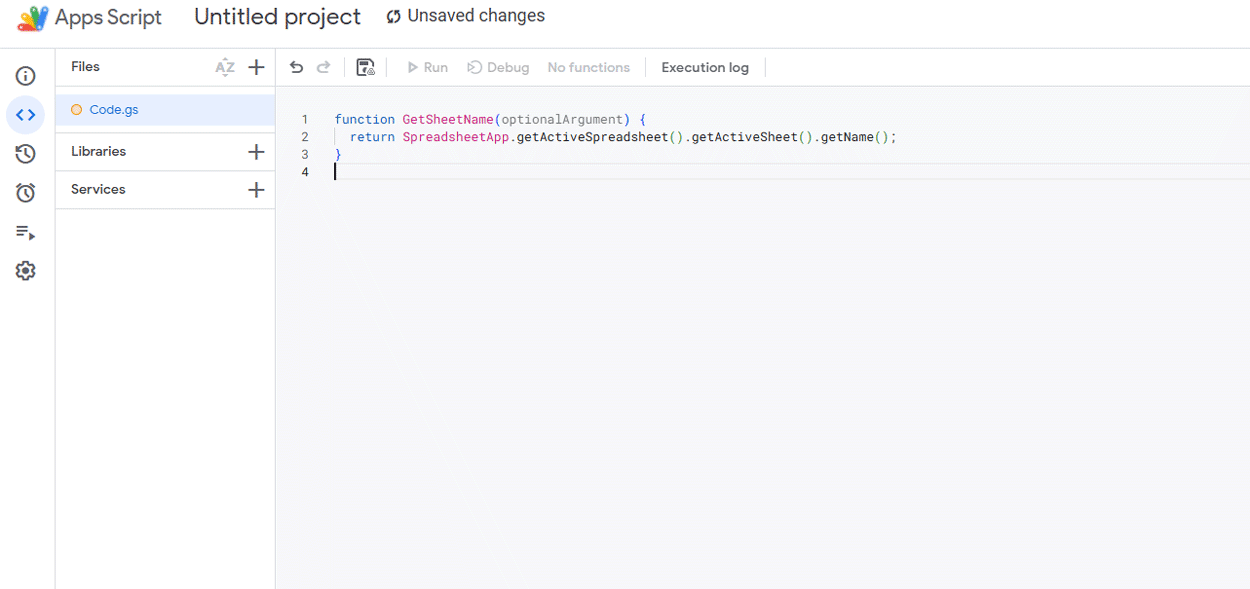
The easiest way to get the current sheet name in Google Sheets is with this quick app script. Super easy (only takes about a minute).

See how to use the Google Sheets FILTER function. Learn to filter by multiple conditions, dates, and dynamic arrays to automate your reports.

Learn the Google Sheets INDIRECT function to create dynamic cell references. It consolidates data from multiple tabs and build dependent dropdowns.
Sum a column in Google Sheets the easy way. Automate it with a function or find the data immediately on-screen.

Before I get into the Google Sheet vs Excel debate, there is something you need to know. I love Excel spreadsheets, and I have been an active user for 12+

Google Sheets is a widely popular spreadsheet tool, prized for its accessibility, collaboration features, and integration with other Google Workspace apps. However, like any software, it has its limitations.