Spreadsheet Point – Google Sheets Tips & Tutorials

Most Popular Spreadsheet Guides

How to Use the FILTER Function in Google Sheets

See how to use the Google Sheets FILTER function. Learn to filter by multiple conditions, dates, and dynamic arrays to automate your reports....

Count Colored Cells in Google Sheets (3 Ways – Full Guide)

Here's how to count colored cells in Google Sheets. I have a full video guide and a written guide with step-by-step instructions and screenshots....

How To Highlight Duplicates in Google Sheets

To highlight duplicates in Google Sheets, use conditional formatting and the COUNTIF function. My guide below covers this in detail. Specifically, I’ll show how to use conditional formatting to highlight...

Google Sheets Currency Conversion: The Easy Method

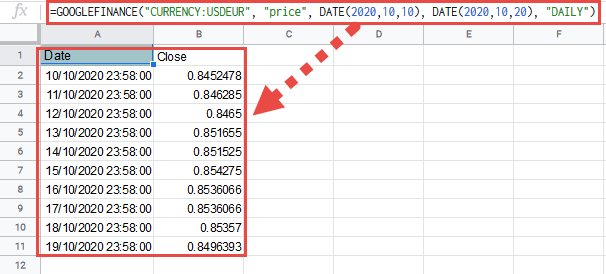
Google Sheets can convert currencies automatically with one GOOGLEFINANCE formula. This guide shows how to pull live exchange rates, convert amounts from USD to popular currencies, fetch historical rates, troubleshoot...

News and Resources

Export a bank CSV, drop it into Google Sheets, and spot recurring...

Welcome to Spreadsheet Point!

If you’re looking to transform your data management, analysis, and reporting skills, we can help. We have hundreds of in-depth guides dedicated to simple, intermediate, and much more advanced spreadsheet formulas.

Most importantly. . .

We know spreadsheets.

Want to develop your data skills? Many businesses benefit from our recommended spreadsheet courses. Remember: Course completions and certifications can help a resume stand out.

And many of our articles feature video explanations. Not sure you understand all the specifics of a complex Google Sheets formula? It doesn’t matter if they’re the most common terms in the spreadsheet world or accounting-specific formulas you only use twice a year.

We listen to reader feedback and include detailed explanations for each topic.

We’re also web browser agnostic. Our advice caters to mobile and desktop spreadsheet tools. Use our tips for Excel, or open Google Sheets to follow along with our most popular spreadsheet templates.

We also know data, and we understand the importance of data analysis in news reporting. We share data-backed articles, including analysis and feedback from the community, on a regular basis.

Ready to get started?

Our Google Sheets guides include basic information, including topics for total novices (like making new spreadsheets or adding graphs), more advanced advice on formulas (including when to use those optional arguments), and expert advice.

Browse our categories, search for your specific needs, and unlock the incredible world of spreadsheets with Spreadsheet Point, your trusted source for expert spreadsheet advice. Or join the newsletter for news and access to free templates.

Like something we made? Please share it with your colleagues.

Thanks for visiting. We’re delighted you’re here!