
Google Sheets Tips
Can Google Sheets Remove Spaces? (Leading, Trailing, Double)
Any work with text data or numbers in Google Sheets, sooner or later you will have to deal with those pesky extra spaces that find their way in the cells.


Any work with text data or numbers in Google Sheets, sooner or later you will have to deal with those pesky extra spaces that find their way in the cells.

To delete multiple sheets in Google Sheets, just use CTRL when you click on multiple tabs. Then right-click and choose to delete them. Otherwise, you’ll need to write a script.
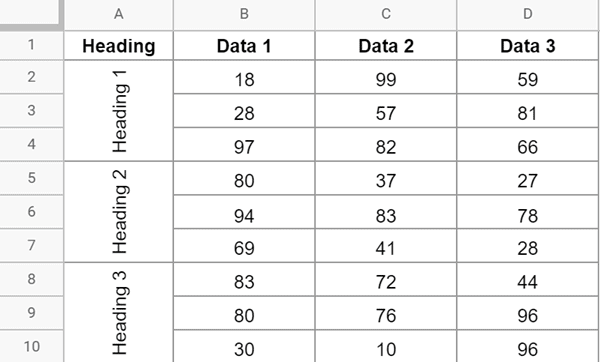
When working with text data in Google Sheets, sometimes you may have a need to change the rotation of the text. In some cases, you may want to make it
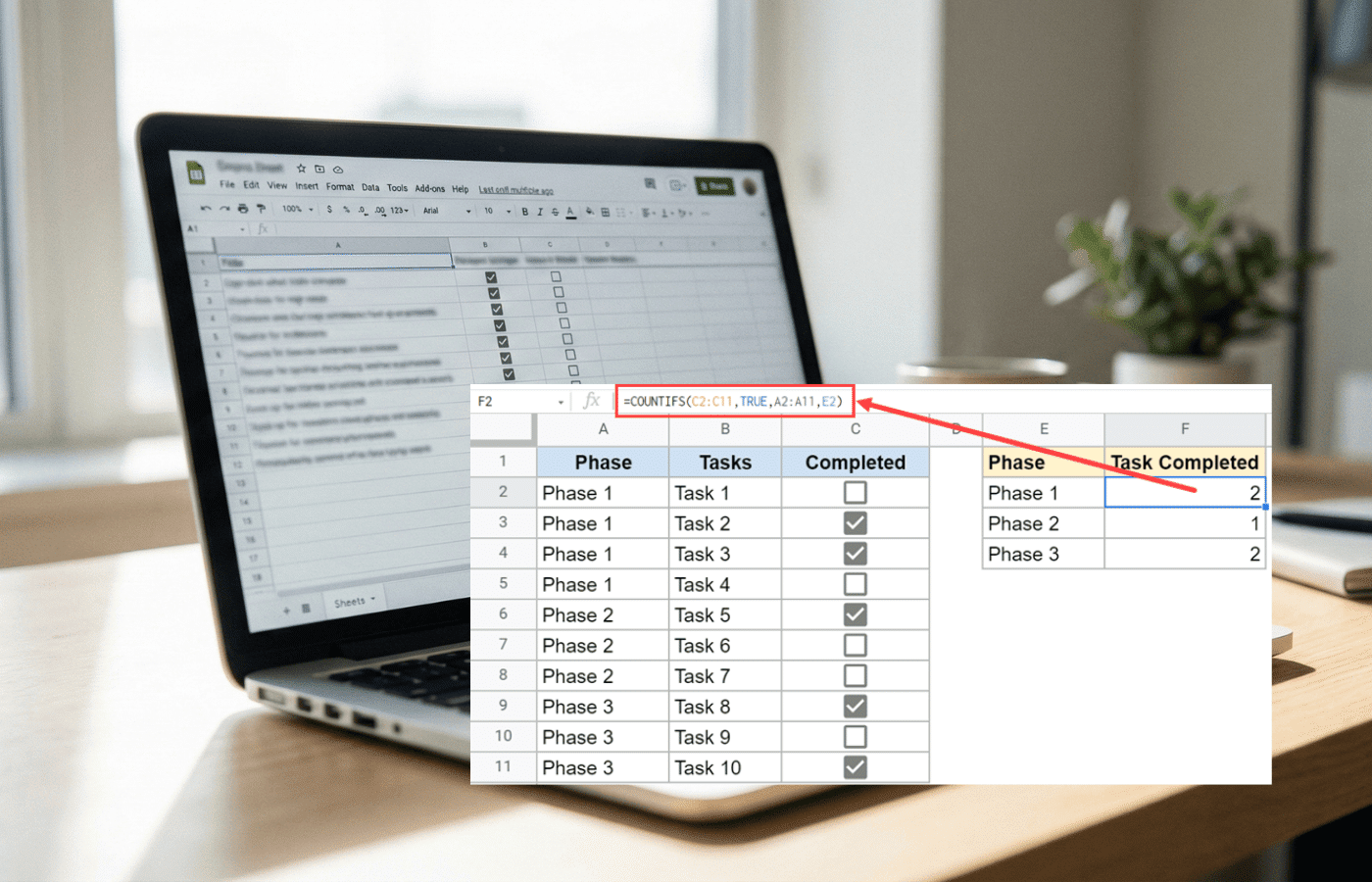
Google Sheets checkboxes evaluate to TRUE and FALSE, which makes counting completed tasks simple. Here’s how to count checked and unchecked boxes, add conditional totals, and scale your tracker with ARRAYFORMULA.

If you work with the data in Google Sheets, it would be safe for me to assume that you have it in a tabular format (i.e., have the data in

A Google Sheets org chart is quite commonly used in presentations and reports. It’s a simple chart that shows the hierarchy of who reports to whom in an organization. Below
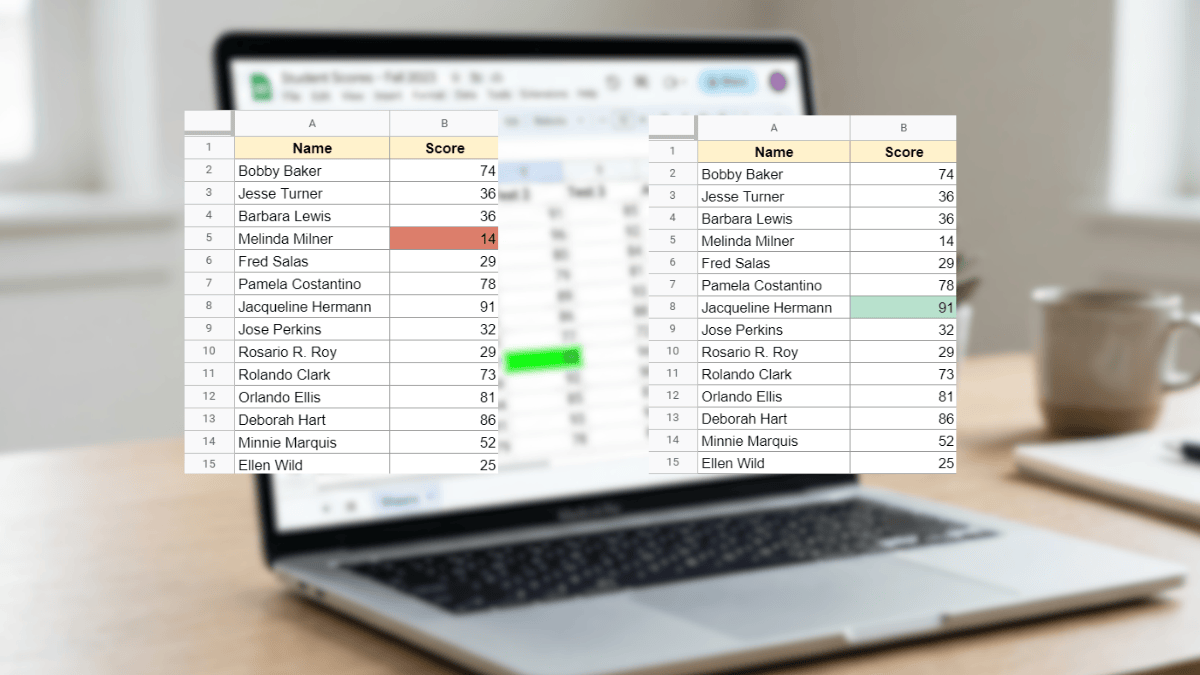
Use Conditional Formatting in Google Sheets to automatically highlight the highest or lowest value in any dataset with no manual scanning required. This tutorial covers max, min, top N, bottom N, and full-row highlighting with simple custom formulas.

Google Sheets is a smart spreadsheet tool that has been made to be user intuitive. This means that sometimes when you enter data in Google Sheets, it will try to
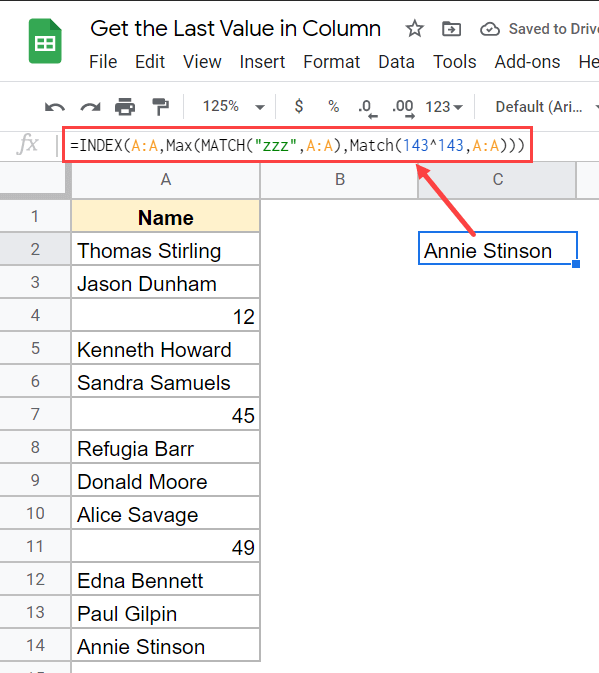
If you work with ever-expanding data (where you keep adding more values in the column or in the row), then sometimes you may have a need to know what’s the